Create a contact form using HTML and AWS (Amazon Web Services)
To create a contact form using HTML and AWS (Amazon Web Services), you can follow these steps:
1.Set up an Amazon S3 bucket and configure it to host a static website.
2. Create an IAM (Identity and Access Management) user with the necessary permissions to access the S3 bucket.
3.Use your text editor to create an HTML file for the contact form. You can use the steps outlined in the previous answer to create a basic contact form using the
<form>, <input>, and <button> elements.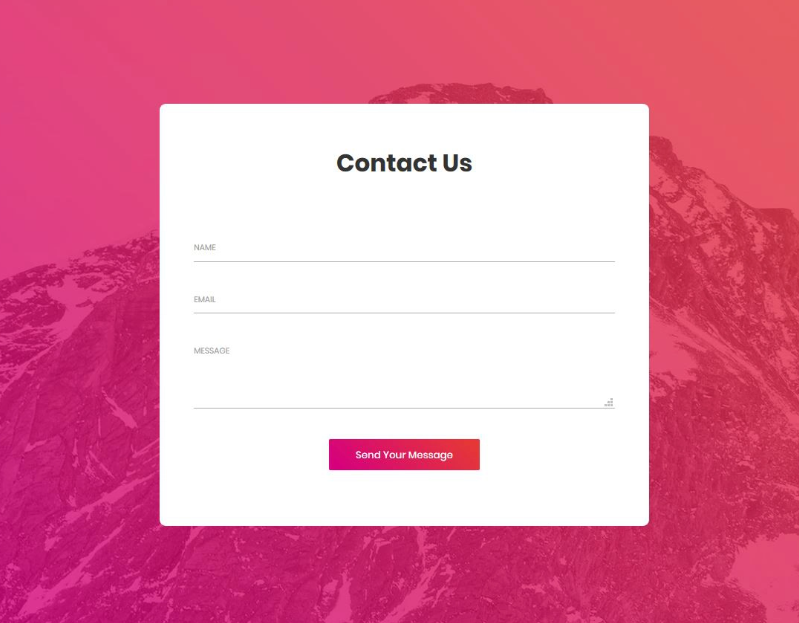
Here is an example of a simple contact form that includes a name field, an email field, and a message field:
<form action="/contact" method="post">
                                <label for="name">Name:</label><br>
                                <input type="text" id="name" name="name"><br>
                                <label for="email">Email:</label><br>
                                <input type="email" id="email" name="email"><br>
                                <label for="message">Message:</label><br>
                                <textarea id="message" name="message"></textarea><br>
                                <button type="submit">Submit</button>
                              </form>
4.Add a JavaScript script to the HTML file that will handle the form submission and send the data to an AWS Lambda function. You can use the AWS SDK for JavaScript to invoke the Lambda function and pass the form data as an argument.
5. Create a Lambda function in AWS to process the form data and send an email message. You can use the AWS SDK for Python (or another language) to send the email using the Simple Email Service (SES).
6. Test the contact form to ensure that it is working correctly.
Here is an example of a simple JavaScript script that invokes a Lambda function and passes the form data as an argument:<script>
function sendFormData() {
var formData = {
name: document.getElementById('name').value,
email: document.getElementById('email').value,
message: document.getElementById('message').value
};
AWS.config.update({
region: 'us-east-1',
credentials: new AWS.Credentials({
accessKeyId: 'ACCESS_KEY_ID',
secretAccessKey: 'SECRET_ACCESS_KEY'
})
});
var lambda = new AWS.Lambda({region: 'us-east-1', apiVersion: '2015-03-31'});
var params = {
FunctionName: 'contactFormFunction',
InvocationType: 'RequestResponse',
LogType: 'Tail',
Payload: JSON.stringify(formData)
};
lambda.invoke(params, function(err, data) {
if (err) {
console.log(err, err.stack);
} else {
console.log(data);
}
});
}
</script>
This script can be called when the form is submitted, for example:
<form onsubmit="sendFormData(); return false;">
                                    ...
                                  </form>

Leave a comment

Stay Update!!!
Quick Links
Get In Touch
Chesterfield,Mo
info@datainception.org
727-637-1417
© DataInception.co. All Rights Reserved. Designed by DataInception.co